
5G Explained: Coverage, Compatible Devices, Speed and Latency
Learn how 5G differs from five-gigahertz Wi-Fi, why coverage and devices matter, and how to read speed, latency and data-usage measurements.
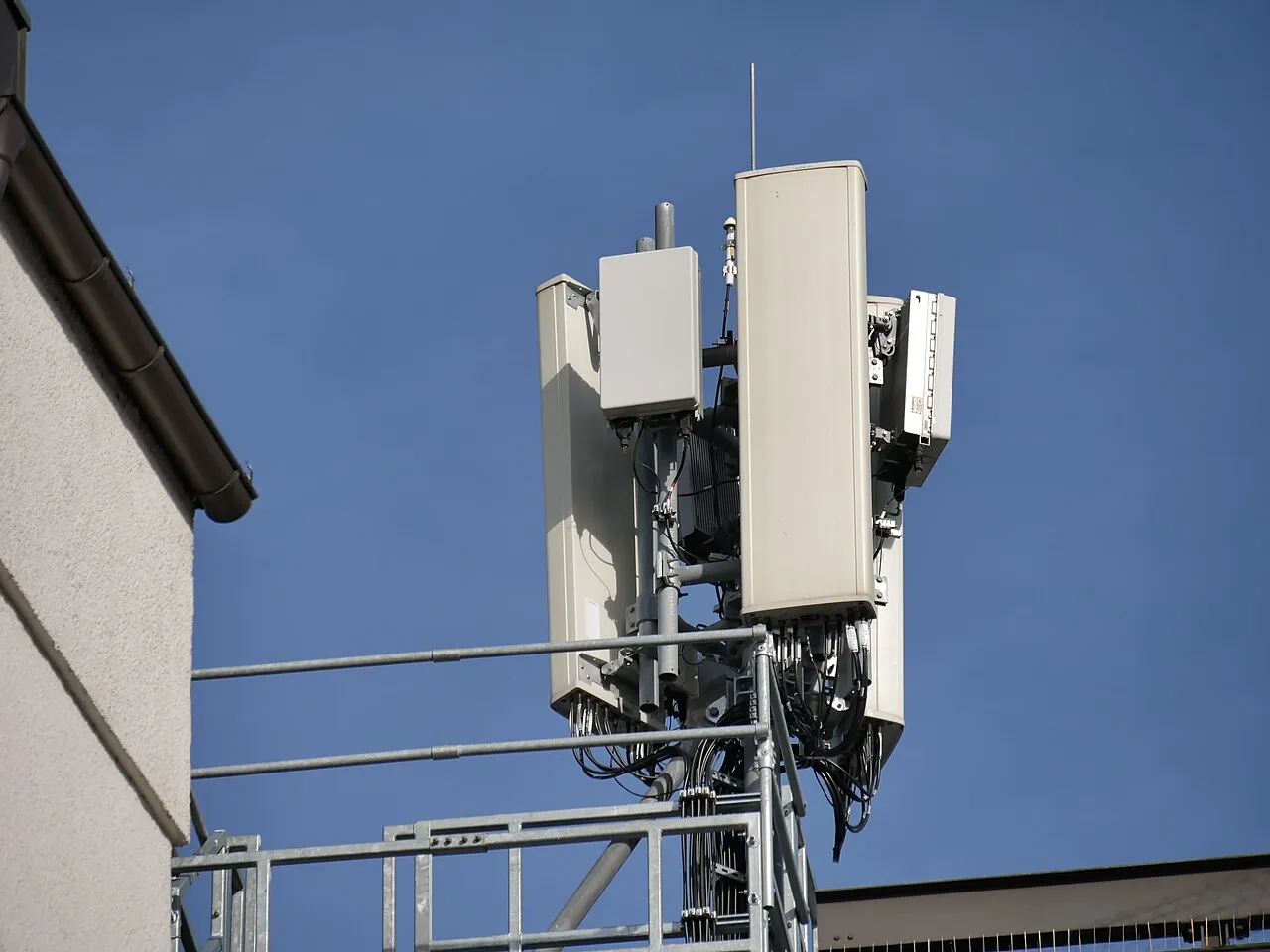
5G is the fifth generation of mobile-network technology. It concerns how compatible devices connect through a mobile network, with capabilities designed for a range of uses including faster data, connected devices and applications sensitive to delay. It is not a guarantee that every phone will receive the same speed in every building.
This guide explains the terms a student or household encounters when choosing a device, checking coverage or investigating a slow connection. It does not promise a particular operator's current speed or plan benefit. Standards and provider information were checked on 5 November 2026; account-specific availability still needs the relevant provider's current confirmation.
What does 5G actually describe?
The term refers to a generation of mobile communications and the technologies used to implement it. ITU's international work uses the IMT-2020 framework for 5G. A commercial network then deploys equipment, spectrum and supporting infrastructure to provide service in particular locations.
That distinction matters because a standard's technical possibilities are not identical to one customer's experience. A provider may deploy a particular configuration and offer particular services. A compatible handset, an appropriate account and usable coverage all matter when connecting.
Avoid treating the number five as a universal quality score. A well-performing connection on another generation can be more useful for a particular task than a weak or congested 5G connection. Evaluate the actual task and conditions rather than assuming the newest label settles every question.
Is 5G the same as five-gigahertz Wi-Fi?
No. The G in 5G refers to generation. Five-gigahertz Wi-Fi refers to a frequency band used by a local wireless network. A phone can connect to a home router over Wi-Fi while that router receives internet access through a different technology.
For example, a device using a five-gigahertz Wi-Fi connection may be sharing a fibre broadband service. Another router may receive a mobile-data connection and share it over Wi-Fi. The local wireless link and the wider internet connection are different parts of the route.
When asking for help, say whether the device is using mobile data or a router's Wi-Fi. A screenshot showing a wireless-network name may not establish anything about the mobile network. Clear descriptions prevent troubleshooting the wrong part of the connection.
What must work together for a connection?
Check the handset's supported network technologies and bands, the provider's deployment, the account or plan requirements and coverage at the location. A phone being advertised as 5G-capable is only one part of that list.
Different regional versions of a device can have different supported bands. Read the model information for the version actually being purchased. Do not assume that a review of a similarly named overseas model establishes compatibility with every local network.
Ask the provider which requirements apply to your account. Avoid unofficial claims that a private software download can unlock network support that the hardware lacks. A legitimate settings or software update and a false promise to create missing radio capabilities are very different things.
Why coverage varies by location
Radio conditions depend on the deployment and the environment between a device and the serving network. Buildings, distance, obstacles and the network's configuration can affect reception. A provider's coverage map is useful context, but it is not a guarantee of identical indoor service at every point inside a marked area.
Compare the places where you actually use the connection: a classroom, home, commute or workplace. One successful outdoor demonstration does not establish the same performance in a basement room. Likewise, one difficult indoor location does not prove that the whole network is unavailable.
Keep observations specific. Record where and when an issue occurs and whether another ordinary location behaves differently. This gives the provider more useful evidence than a broad claim that the technology never works anywhere.
Frequency is part of a design trade-off
Mobile networks can use different frequency ranges. Their propagation characteristics and available bandwidth can differ, which affects how networks are planned. It is therefore misleading to assume that every 5G deployment uses one identical band with one universal coverage pattern.
For a beginner, separate the idea of a radio-frequency band from the amount of data a connection is currently transferring. A frequency label is not itself a speed-test result. Both can appear in technical discussions, but they measure different things.
Do not identify a site's exact deployment from a photograph of an antenna alone. Equipment can support multiple technologies, and appearances are not a complete network specification. Use the provider's or responsible authority's published information for claims about a particular installation.
Speed and latency answer different questions
Download speed concerns the rate at which data is transferred toward the device. Upload speed concerns the opposite direction. Latency concerns delay along a communication path. A high download result does not automatically mean that every interactive application will respond instantly.
A student downloading a large file may be particularly interested in transfer rate. A live conversation also depends on delay, stability and the application. Matching the measurement to the task makes the result easier to interpret.
Use consistent units. Megabits per second and megabytes per second are not the same. In a simplified example, eighty megabits per second corresponds to ten megabytes per second before practical overhead. Confusing the units can make a normal display look eight times slower than expected.
A simple file-download calculation
Imagine a fictional 200-megabyte file and a steady transfer rate of ten megabytes per second. Dividing file size by rate gives twenty seconds in an idealised calculation. This is an arithmetic example, not a promise that a mobile download will finish in that time.
Real downloads can be affected by server limits, protocol overhead, changing radio conditions and other traffic. A slow result therefore does not identify one cause by itself. The example helps establish the units before investigating the practical factors.
If the application displays a different file size or transfer unit, convert carefully. A large number without its unit is incomplete information. The same principle appears in our solar-power guide, where power and accumulated energy must also be kept distinct.
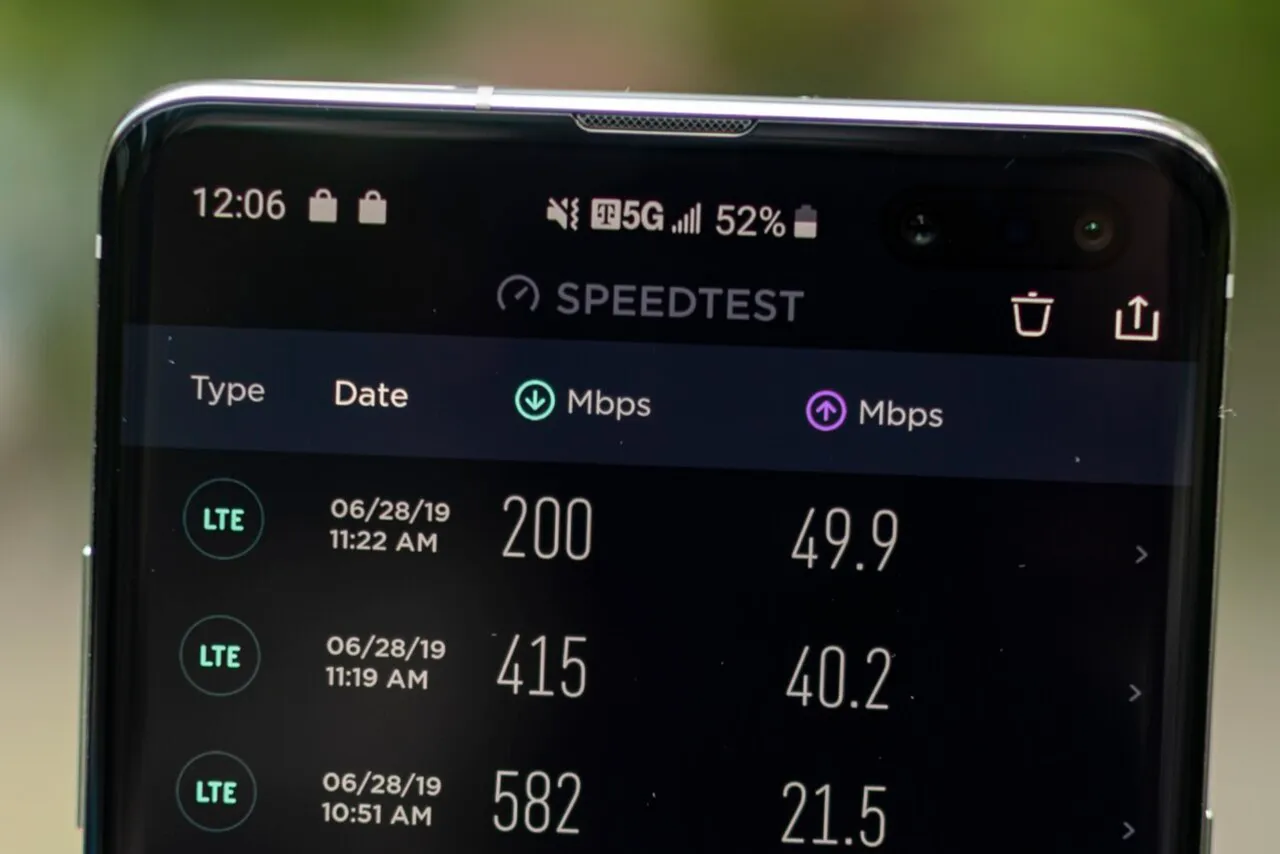
A Samsung Galaxy S10 5G handset, a historical device example rather than a current product recommendation.
Standalone and non-standalone networks
ITU's background information distinguishes standalone and non-standalone 5G deployment models. These describe network architecture, not two different meanings of the word internet. A provider's implementation influences which capabilities and services are available.
For an ordinary user, the practical question is what the provider supports for the device and location. Do not assume that a marketing label or an icon on the screen explains every underlying component. A technical architecture term is useful only when its consequences are connected to the task being discussed.
Avoid speculative instructions for forcing a handset onto unsupported network modes. Use the device's normal settings and official provider guidance. An advanced menu can expose options whose effects are not explained by a short social-media tutorial.
Why performance changes at different times
The number of active users, available capacity and the wider data path can affect performance. A measurement taken once is a sample, not an eternal property of the connection. Compare results under reasonably similar conditions before drawing a broad conclusion.
Note the time, location, device and whether another application was transferring data. A background backup can change the conditions of a test. Repeating a test without understanding those conditions may produce many numbers but little explanation.
Do not assume that every slow website indicates a mobile-network fault. The remote service can also be busy or unavailable. Compare a small set of known services and report the actual pattern rather than treating one failed page as proof of a nationwide outage.
Data allowances and battery use need separate checks
A faster connection can transfer a large amount of data in less time. That does not make the data allowance unlimited. Read the plan's current terms and any fair-use conditions instead of assuming that a 5G label removes all account limits.
Battery experience depends on the device, applications, signal conditions and settings. A single percentage drop is not a controlled comparison between network generations. If you investigate, keep the workload and conditions visible and avoid presenting one anecdote as a universal rule.
Use ordinary battery and data-usage information supplied by the device. You do not need to install an unknown optimisation application that requests broad access to contacts, messages or other unrelated information just to understand network use.
Connecting a laptop through a phone
A mobile hotspot lets another device use the phone's connection under the device and account's supported arrangements. The laptop's Wi-Fi link to the phone and the phone's mobile link to the provider are separate connections. Either can affect the experience.
Use a strong hotspot password and understand which devices are connected. A laptop may begin large updates or cloud synchronisation after joining. That can consume data quickly even when the person thinks they are only opening a small document.
Check the provider's terms and the device's ordinary hotspot controls. Avoid a claim that a private application can provide unlimited access outside the plan. A useful guide explains the supported feature rather than offering a shortcut around account conditions.
A practical troubleshooting sequence
First confirm which connection is being used. Then check whether the issue affects one application or several. Note any network-status message and compare another normal location if appropriate. These simple observations establish a starting point without changing complex settings.
Use the provider's official help route for account or coverage questions. Describe the device model, location and pattern privately, sharing only the account information needed through that official channel. Keep a complaint reference if one is supplied.
Do not factory-reset a device as a casual first step. A reset can remove settings and personal information. Follow the manufacturer's and provider's relevant guidance, and keep a clear distinction between restarting a connection and erasing the device.
A student investigation that stays honest
Choose one ordinary task, such as opening a known learning page or downloading a small authorised file. Record the connection type, approximate time and conditions. If you compare another attempt, keep the task and device consistent where possible.
Write what the observations establish and what remains uncertain. A successful download shows that the task completed under those conditions. It does not prove a maximum theoretical speed or explain every component of the network. A slow sample similarly does not establish the cause without further evidence.
This method develops a useful habit: distinguish a measurement from an explanation. Technical confidence comes from knowing what a result can support, not from adding the strongest possible conclusion to a screenshot.
Questions users often ask
Before sharing a test result, add the device model, approximate location and whether the test used mobile data or Wi-Fi. Keep private account details out of the screenshot. These simple labels make the measurement useful to another reader and reduce the chance that a result from one connection will be incorrectly attributed to a completely different service.
Does a 5G phone guarantee coverage at home?
No. Device support, provider deployment, account requirements and conditions at the location all matter. Check the actual model and the provider's current coverage information, then assess the places where you intend to use the service.
Is five-gigahertz Wi-Fi a 5G mobile network?
No. One term describes a Wi-Fi frequency band and the other describes a mobile-network generation. They can be part of the same overall connection path, but the labels refer to different technologies and should not be used interchangeably.
Does a speed-test result explain every slow application?
No. It measures a particular transfer under particular conditions. Application servers, delay, stability and other traffic can affect the experience. Use a test as evidence rather than treating it as a complete diagnosis of every problem.
Is the newest network label always the best choice?
Choose based on the supported service, coverage, cost and tasks you need to perform. A label alone does not establish reliability at a specific location. A consistent connection that completes the required work is more useful than an unsupported promise about ideal conditions.
Sources
- ITU backgrounder on fifth-generation mobile networks
- ITU international mobile telecommunications questions
- Indian government information on provider coverage maps
Image credits: cover: Yumikember, source, CC BY-SA 4.0. Resized and converted to WebP. inline: BuBrhms, source, CC BY-SA 4.0. Resized and converted to WebP.
Found an error or an outdated detail? Report a correction with the article URL and original source.