
Nokia 2360 Flip: Family Assist and Pakistan Buying Checks
Understand the Nokia 2360 Flip’s 2G positioning, Family Assist setup and practical questions about local networks, costs and warranty before buying.
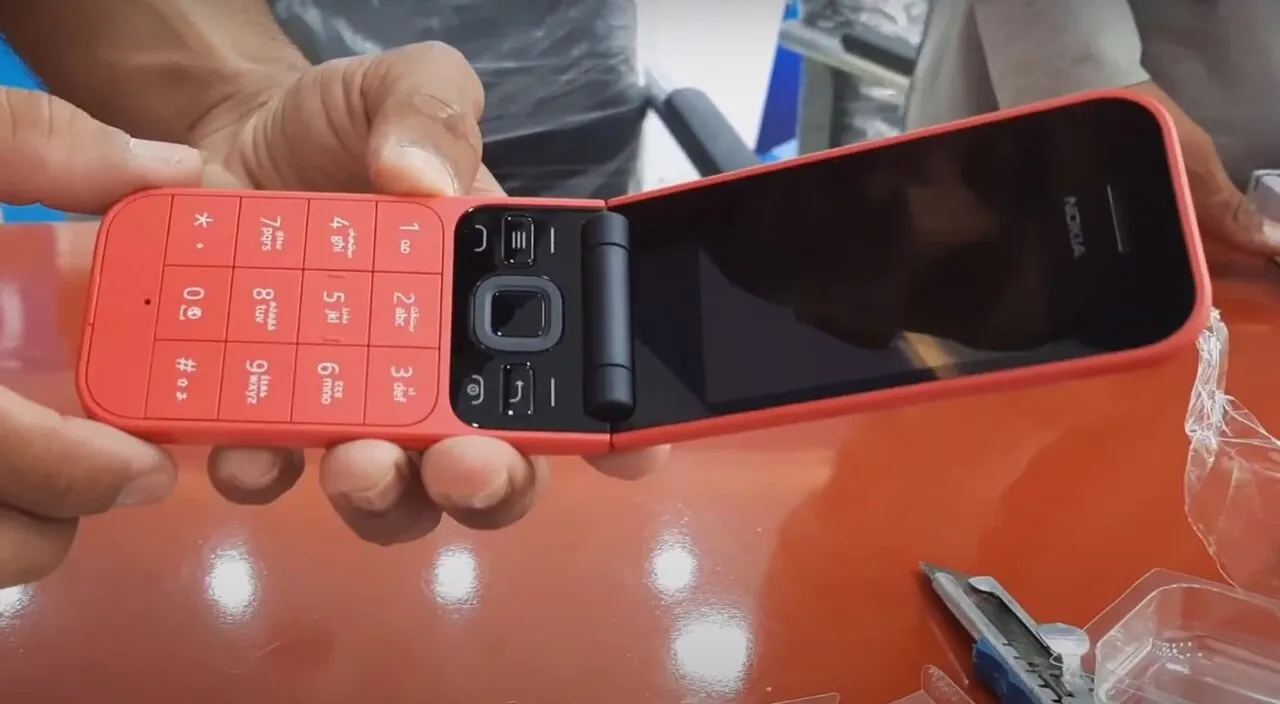
The Nokia 2360 Flip appears in HMD's official catalogue as a 2G flip phone aimed at simpler communication. Its distinctive feature is Family Assist: another family member can manage supported settings through an app, with communication to the handset handled by SMS. For a buyer in Pakistan, the first question is whether the exact regional device and local network meet the intended user's needs, not whether a social-media listing calls it a smartphone.
This guide was checked on 1 November 2026. It explains the manufacturer's published positioning and a practical evaluation process. It does not establish a Pakistan retail price, a local launch date, an importer warranty or compatibility with a particular Pakistani operator.
What has the manufacturer actually announced?
The product page describes Family Assist remote management, an SOS button, parental controls and a flip-to-answer design. It lists a 2.8-inch main display, a 1.77-inch external display and a removable 1,450 mAh battery. These are manufacturer statements, not measurements from a hands-on test by this website.
The important classification is 2G. Do not turn the presence of a companion app into a claim that the handset runs Android apps, supports 4G, or provides the same services as a smartphone. A managing person's smartphone and the phone being managed are separate devices with different responsibilities.
How does Family Assist change the setup process?
HMD says supported remote setup uses SMS rather than a mobile-data plan on the Nokia handset. Its explanation also notes that standard SMS charges may apply on the managing device. “No data plan on the receiving phone” therefore should not be translated into “every action is free.”
Think of the initial setup as a shared task. The owner should understand who can change the supported settings and how to ask for a change. Convenience is useful only when it matches the owner's preferences. A family helper should not silently assume that remote administration means unrestricted access to every part of the person's life.
Before handing over a device, agree on a small practical plan: who handles setup, who keeps recovery information, and who helps if a number changes. Record those decisions privately. An elderly relative should not need to remember which of several family members last edited a contact list when a routine change is required.
What should you check before relying on the SOS button?
The published description says the configured feature calls a preset number and sends messages to as many as five emergency contacts. The manufacturer's footnote explicitly distinguishes it from public emergency services. It should not be advertised as a guarantee of rescue, medical monitoring or a replacement for local emergency arrangements.
Choose contacts who agree to receive notifications and understand what the message means. A number belonging to someone who rarely checks their phone may not be a useful choice simply because that person is a close relative. If the owner travels, discuss who is realistically available to respond.
Arrange any test with the recipients in advance. Explain that it is a test, follow the product's instructions and confirm what each recipient actually receives. Avoid repeatedly sending unexplained alerts. A successful demonstration is also a chance to ask whether the owner can find and operate the control comfortably.
Does a large-button or flip design suit everyone?
No design should be selected solely from an age label. Ask the intended owner to try the tasks that matter to them: recognizing an incoming caller, answering a call, adjusting volume, finding a contact and ending the conversation. A feature that looks simple in a photograph can still be unfamiliar in use.
The external display may be relevant to someone who wants to identify callers before opening the phone. The hinge may appeal to someone who prefers a clear physical open-and-close action. Those are reasons to try the design, not proof that it will fit every person's dexterity, eyesight or hearing needs.
If possible, let the owner compare devices without coaching every step. Notice where they hesitate. A buyer's preference for the most attractive handset should not outweigh the actual user's ability to repeat an essential task independently.
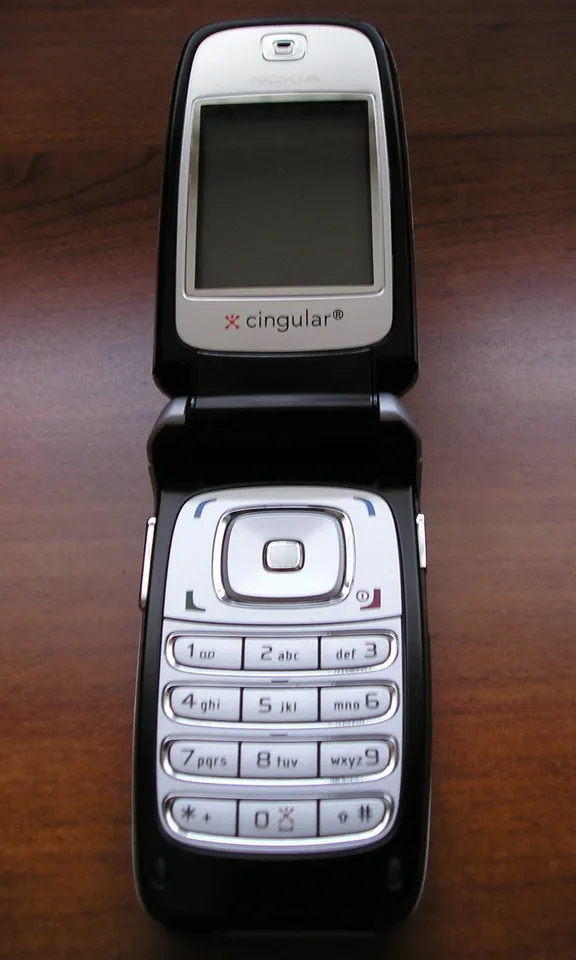
Historical Nokia 6102i keypad illustration, not the Nokia 2360 Flip.
What does the 2G label mean for a Pakistan purchase?
It makes network verification an essential purchase step. Check the exact regional model and its supported bands with the seller's documentation and your operator's current information. Do not assume that an international product page establishes approval, service availability or long-term network support in Pakistan.
Ask the seller to identify the actual unit being offered. A product-family name is not always enough to establish regional specifications. Keep device identifiers private when sharing screenshots publicly, and use the appropriate official processes to investigate registration or approval questions.
This article does not certify a particular SIM or network. A practical local check should cover ordinary calls, SMS delivery and the circumstances in which the owner will use the phone. A signal indicator in a shop is only a limited observation; it does not establish coverage at a different home or travel destination.
What should parents understand about the controls?
HMD describes School Mode, contact whitelisting and individual app blocking protected by a Family PIN. These are tools to configure deliberately, rather than a reason to assume that every child's needs are the same. Read the instructions for the exact device and decide which restrictions have a clear purpose.
Explain the rules in language the child can understand. If only approved contacts are allowed, discuss how a new legitimate contact will be added. If a mode limits ordinary use during school hours, agree on what should happen when the timetable changes. A configuration is easier to manage when the family has considered ordinary exceptions before they occur.
Avoid making broad promises such as “completely safe” or “impossible to misuse.” A communication device still involves contact decisions, privacy and responsible handling. The practical question is whether the available controls support the specific routine you are trying to establish.
How should you compare price and warranty claims?
No Pakistan price is quoted here because no current local offer has been verified. When comparing sellers, compare the same regional model, included accessories, condition and warranty arrangement. A headline amount without those details can hide a very different purchase.
Get written answers to questions about returns, faults and repairs before paying. Establish who provides the warranty and where an owner would actually take the phone for help. Do not treat the existence of an international manufacturer support page as proof that a particular import has local warranty coverage.
A simple comparison sheet can be more useful than a long specifications list:
| Check | Evidence to request |
|---|---|
| Exact device | Regional model information matching the offered unit |
| Local service | Current operator guidance and relevant device documentation |
| Setup help | Clear responsibility for initial configuration |
| Ongoing cost | Applicable call, SMS and companion-device charges |
| Fault handling | Written seller, return and warranty terms |
| Owner suitability | A demonstration of the essential everyday tasks |
What should be ready on handover day?
Prepare a short routine rather than a large lesson. The owner should be able to make a familiar call, identify the charging connection and know whom to ask for help. Keep instructions in a form they can read easily. Do not include passwords or private codes on a sheet that will be photographed and shared widely.
If a relative manages supported settings, agree on a way to report mistakes or unwanted changes. Recheck important contact entries after editing them. A duplicate name or outdated number is a practical problem regardless of how advanced the setup method is.
Students interested in the difference between an app, a handset and a communications service can explore our programming courses and Python learning track. These lessons explain computing concepts; they do not provide unofficial handset firmware or bypass tools.
Sources
Manufacturer information checked 1 November 2026. This is an independent explanation, not a hands-on review or a verified Pakistan sales listing.
Image credits: cover: Saad Shah Khagga, source, CC BY 3.0. Resized and converted to WebP. inline: Myunknownside000, source, Public domain. Resized and converted to WebP.
Found an error or an outdated detail? Report a correction with the article URL and original source.