
WhatsApp Android Chat Preview: What the November Beta Reports Confirm
Understand the reported WhatsApp Android chat preview test. See how it differs from notifications, read receipts and a confirmed public release.

WhatsApp contextual chat previews for Android were reported in development on 5 November 2026. Android Authority and WABetaInfo described a test interface that opens a preview from the chat list. Their reports do not establish general release, and both distinguish the work from a feature already available to ordinary users. Installing a particular beta version is not evidence that the control will appear.
The proposed interface is easy to confuse with notifications, existing chat-list snippets and read-receipt controls. This guide separates those ideas and explains how to evaluate a software preview safely. It does not promise that Android users can now open conversations without sending a receipt, or recommend unofficial downloads that claim to unlock the feature.
What did the November reports actually find?
The reports describe a contextual panel for recent messages that can be opened from the list of conversations in a development build. They refer to nearby Android beta versions in the 2.26.44 series. Android Authority says it activated the interface during its testing; WABetaInfo says it remained under development. That is evidence of work in progress, not a public rollout announcement.
Version numbers identify a build, not an entitlement
A version tells you which package a report examined. It does not guarantee that every account with that package sees the same option. An app may contain unfinished interface code, or a feature may depend on configuration that is enabled only for certain tests. If you cannot find the panel, that alone does not show your phone is faulty or your account needs repair.
Keep the wording proportional to the evidence
An accurate note can say that a preview was observed in development. It should not say that every Android phone now has the feature, that a stable release date is known, or that a particular behaviour is guaranteed. A report's publication date gives the observation context. A later official announcement or documented release would be a separate piece of evidence.
How is a contextual preview different from a notification?
A contextual preview is part of an app's chat-list interface. A notification is a system surface that can appear outside the app, sometimes on a lock screen. A short line already visible in a conversation list is another surface. Each can show different amounts of information and has different controls. Seeing one does not prove that another exists.
The same message can appear in several places
Consider a fictional homework reminder. The device might display its first words in a notification, the app might display a snippet in the list, and opening the chat might display the complete message. These are different presentations of the same content. A news article should identify which interface was tested, rather than implying that every preview works the same way.
A notification's privacy setting is its own question
If a phone displays sensitive text on the lock screen, review the system's notification visibility controls for that device. Do not assume a messaging app's new chat-list design changes what the operating system displays. Conversely, hiding a lock-screen notification does not guarantee that someone with an unlocked phone cannot see the chat list. Identify the actual exposure before selecting a control.
What is a read receipt?
A read receipt is a status signal associated with whether a message has been opened or read under the service's rules. It is different from the message body, notification visibility and encryption. Exact behaviour can depend on the chat type and supported controls. Use the official help documentation for your version rather than applying one observed prototype behaviour to every conversation.
What did testing say about receipts?
Android Authority reported that the experimental preview did not send read receipts in its tests. That describes the tested interface at the time, not a promise about eventual release behaviour. The report does not establish a reliable method for reading any chat secretly. Treat the behaviour as provisional, and do not use sensitive real conversations to test a feature that is not documented for your account.
Read state and visible information are separate
A device can display a piece of information without producing the same status event as opening the full conversation. That is a product-design choice, not proof of a security bypass. An app can also let someone mark a message unread as a personal reminder without undoing every signal already sent. Distinguishing interface state from shared status prevents many misunderstandings.
Does a preview change encryption?
WhatsApp's official privacy information describes end-to-end encryption for personal messages and calls. A preview showing content on an authorised device is a question about how the device displays information it can already access. It is not by itself evidence that encryption is weakened or that the conversation has been shared with an unauthorised party.
Encryption in transit is not screen privacy
An encrypted conversation can still be visible to someone looking at an unlocked screen. For a classroom analogy, imagine a note carried in a locked container. The container protects the note during delivery; it does not prevent the intended reader from displaying it after opening it. Security controls solve different problems, and the question to ask is which surface or action is involved.
Backups and linked devices deserve separate checks
The official privacy page explains encrypted backup options as a separate control. Do not infer backup settings from the appearance of the chat list. Likewise, review linked devices through the official app if you are unsure where an account is active. This guide does not advise uploading a backup, message database or QR sign-in code to any tool claiming to enable a preview.
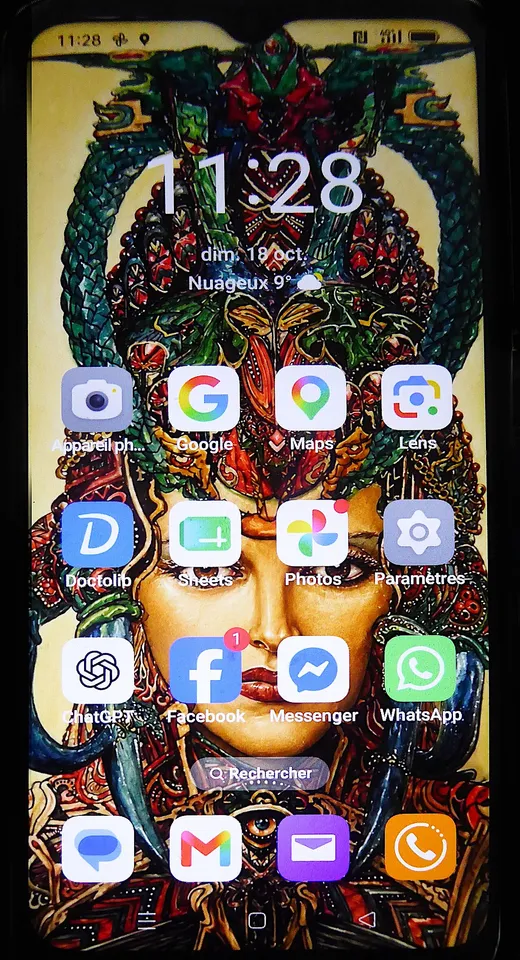
An Oppo A16 photographed in 2026, illustrating Android hardware rather than feature availability on this model.
Why can beta reporting sound like a release announcement?
Development reports often include screenshots and concrete gestures, which make an interface look finished. A researcher may have access to behaviour that is disabled for ordinary testers. The screenshot can be genuine while the release claim is premature. Read the availability sentence and the method used to observe it before trusting a headline that says the feature has arrived.
Understand the stages of evidence
Code that suggests a feature, a researcher demonstrating it, a documented limited test and a general release are separate stages. They can overlap, change order or stop before release. Avoid turning them into a guaranteed timeline. If a report explicitly says under development, carry that phrase or its plain-language equivalent into any summary you share with classmates or colleagues.
A version comparison makes the distinction practical
In a fictional software project, version 1.4 contains a new toolbar, but the team enables it only for its test account. A person installing version 1.4 on another device still sees the old toolbar. Both reports about the same version can be accurate. The missing detail is access configuration. This example illustrates a possible mechanism without claiming to reveal WhatsApp's private rollout setup.
Should users install a beta to get this preview?
There is no basis in the cited reports to recommend installing a beta for guaranteed access. If you normally use the stable official app, continue checking its documented updates. Beta programmes can have changing eligibility and behaviour. An unfamiliar APK claiming to reveal hidden options is especially poor evidence of a legitimate release and may expose the user's account or messages.
Verify the distribution channel
Use the official publisher's app listing or the service's own download instructions. A familiar icon on a third-party site does not authenticate a package. Do not give a stranger a verification code, password, linked-device QR code or backup file in exchange for access. The official WhatsApp Help Center specifically advises using its official app rather than fake versions.
Keep experiments away from sensitive data
For a software class, reproduce the design idea with sample messages such as a fictional library reminder. Avoid real names, phone numbers and conversation screenshots. A design mock-up can demonstrate a long press, a preview and a clear dismissal action without touching a real account. This is a safer way to study the interaction than trying to force an unfinished control into daily use.
What makes a good preview interface?
A good preview tells users what they are looking at, lets them dismiss it predictably and avoids accidental actions. A short touch, long press and keyboard activation should have clear meanings. Important operations such as deleting a conversation deserve separation from casual browsing. These are design principles for evaluating a mock-up, not claims about the final WhatsApp interface.
Think about accessibility and touch targets
In a fictional chat list, a person using a screen reader should be able to identify the selected conversation and know that a preview opened. A keyboard user needs a way to move focus and close the panel. A touch user needs enough space to avoid selecting a destructive action accidentally. Test the intended task with different input methods rather than treating a screenshot as proof of usability.
Test what happens when the screen is small
A panel should fit within the available width, wrap long text and provide a usable exit even with enlarged fonts. Include an empty conversation, a long message and a row with a shortened contact label in the test. Decide what belongs in the preview and what must remain in the full conversation. This teaches interface design without needing access to WhatsApp's actual implementation.
How can students model message status?
Use an invented record with separate fields for message arrival, visible preview, full open and receipt status. Do not collapse all four into a single boolean called seen. A user may dismiss a notification without opening a chat, or open a preview with the full conversation still closed in the model. The record should represent each action explicitly.
Test actions and outcomes independently
Draw a small state table. For the fictional rule set, allow preview to change the preview field but leave the full-open field unchanged. Then test opening and closing the full conversation. Document whether the receipt flag changes and why. The exercise is an original model, not a promise about a real product. Find programming courses and class resources for the coding concepts.
Write a careful release note
Use three sentences: what was observed, who can access it and what remains unknown. For this story the observation is development testing, general Android availability was not established in the reports, and future timing and final behaviour remain open. A release note is useful when a reader can decide whether they need to act today. Here, there is no need to install anything to chase the reported test.
What would count as evidence of a real rollout?
An official update or help article naming the feature would be stronger release evidence than a screenshot alone. A visible, documented control on your own official app can answer the narrower question of your access. A responsible report should still distinguish a regional or account-limited rollout from broad availability. The evidence needs to match the scale of the claim.
Check a claim without changing your account
Start with the source's date, platform and status statement. Next, look for a matching notice from the publisher. If you find only reports about development builds, record the feature as unconfirmed for general use. You do not need to reset an account, reinstall the app or send private data just to check a headline. Wait for official instructions if a genuine release becomes available.
Keep two screenshots from proving too much
Suppose two writers show a similar experimental interface. That can support the observation that the design exists in testing. It does not necessarily establish two independent public releases; both could be examining the same underlying work. Look at the methods and availability notes, not simply the number of pages repeating the story. This habit is useful whenever software rumours spread quickly.
Be careful with screenshots of conversations
If a class assignment needs an example, create a mock conversation from scratch. Blur or remove identifiers only when you already have permission to use an authentic image, and check whether other details could identify someone. A fabricated sample clearly labelled as a mock-up is often easier to share and more useful for demonstrating a specific design question.
Sources
- Android Authority's 5 November teardown and test observations
- WABetaInfo's development status report
- Official WhatsApp privacy information
- Official WhatsApp Help Center guidance on using the official app
Image credits: cover: Shixart1985, source, CC BY 2.0. Resized and converted to WebP. inline: Pierre André Leclercq, source, CC BY 4.0. Resized and converted to WebP.
Found an error or an outdated detail? Report a correction with the article URL and original source.